Agentic Workflows Explained
Apr 15, 2026
TL;DR — Agentic workflows are AI-powered workflows where one or more AI agents can reason, plan, use tools, and adapt as work progresses. Traditional automation says "follow these steps." An agentic workflow says "achieve this goal." The strongest systems blend both: deterministic steps for predictable parts, AI agents for judgment-heavy parts, and human-in-the-loop checkpoints where accountability matters.
Workflow automation has always been about one simple promise: take repetitive work off people's plates so teams can move faster, make fewer mistakes, and focus on higher-value decisions.
For years, that meant building workflows around clear rules. When a form is submitted, send an email. When a deal reaches a certain stage, create a task. When an invoice arrives, extract the details and route it for approval. This kind of automation is still incredibly useful, especially when the process is predictable.
But many business processes are not that clean.
They involve messy inputs, missing information, judgment calls, exceptions, back-and-forth communication, and decisions that depend on context. That is where agentic workflows come in.
Agentic workflows are a newer approach to workflow automation where AI agents can reason, plan, use tools, make decisions, and adapt as work progresses. Instead of simply following a fixed set of "if this, then that" instructions, an agentic workflow can work toward a goal.
That shift from "follow these steps" to "achieve this outcome" is what makes agentic workflows so important. A 2024 Gartner report on AI in business processes projects that AI agents will autonomously resolve 80% of common customer service issues by 2029 — but only inside workflows that are designed to give them context, tools, and guardrails.
What Are Agentic Workflows?
An agentic workflow is a business process powered by one or more AI agents that can take action toward a defined goal.
In a traditional workflow, you map out every step in advance. The automation waits for a trigger, checks conditions, runs actions, and follows the path you designed. If the workflow receives an unexpected input or encounters a situation you did not account for, it usually stops, fails, or requires human intervention.
In an agentic workflow, the system has more room to interpret what is happening. An AI agent can review information, decide what needs to happen next, call tools, search data, draft responses, classify requests, summarize documents, ask for missing information, and hand work off to another agent or human.
The workflow still needs structure. Good agentic workflows are not "AI doing whatever it wants." They work best when they are designed with clear goals, approved tools, permissions, guardrails, human review points, and auditability.
A simple example would be a customer onboarding process. A traditional workflow might send a standard welcome email, create a project folder, assign a task, and update a CRM record. An agentic workflow could go further. It could read the customer's contract, identify their requested services, check whether required documents are missing, draft a tailored onboarding plan, assign the right internal team, ask the customer for missing details, and escalate unusual cases for human review.
Here is what the same onboarding workflow might look like in a non-agentic version compared with an agentic version.
Workflow stage | Non-agentic workflow version | Agentic workflow version |
|---|---|---|
Intake | A customer submits a fixed onboarding form. The workflow checks required fields and rejects the submission if anything is missing. | The customer submits a form and uploads a contract or statement of work. An AI agent reviews the submission, reads the attached documents, and identifies missing or unclear information. |
Customer classification | The workflow assigns the customer to an onboarding path based on fixed inputs, such as company size, plan type, region, or selected services. | The agent assesses the customer profile, contract terms, requested services, urgency, and implementation complexity, then recommends the most appropriate onboarding path. |
Task creation | The workflow creates a standard task list from a template. Every customer on the same path gets the same tasks. | The agent generates a tailored onboarding plan based on the customer's specific goals, required integrations, stakeholders, risks, and dependencies. |
Internal handoff | The workflow assigns tasks to predefined teams based on simple routing rules. For example, enterprise customers always go to the enterprise onboarding team. | The agent determines which teams need to be involved by interpreting the customer's requirements, then prepares a concise handoff summary for each team. |
Missing information | The workflow sends a generic email asking the customer to complete missing form fields or upload required files. | The agent drafts a specific follow-up message explaining exactly what is missing, why it is needed, and which parts of the onboarding process are blocked until it is provided. |
Risk review | The workflow escalates only when a predefined condition is met, such as contract value above a threshold or a selected high-risk region. | The agent reviews the contract, notes, and customer context for risk factors such as unusual obligations, unclear success criteria, aggressive timelines, or unsupported integration requests. |
Human approval | A manager approves the onboarding plan after reviewing the same standard task list and customer record. | A manager reviews the agent's recommended plan, risk summary, missing information, and suggested next steps before approving or editing the plan. |
Status updates | The workflow sends standard milestone emails when tasks are completed. | The agent produces context-aware updates that summarize progress, explain blockers, and adapt the message for internal teams or the customer. |
The important nuance is that even this "agentic" onboarding process should not be entirely non-deterministic. The workflow can still start from a form submission, create records in a CRM, apply fixed approval rules, wait for a human task, and send updates through known channels. The agentic part sits inside that structure. It handles the parts where the next step depends on interpretation, context, or incomplete information.
The difference is not just automation. It is automation with reasoning inside a controlled process.
Why Traditional Workflow Automation Still Matters
Traditional workflow automation is not going away. In fact, it is still the right choice for many processes.
If a process is stable, repetitive, and based on structured data, deterministic automation is usually better. It is faster, easier to test, cheaper to run, and more predictable. You do not need an AI agent to send a Slack notification when a form is submitted or update a spreadsheet when a status changes.
Existing workflow automation, including no-code workflow builders, business process automation platforms, and RPA tools, is excellent for tasks where the steps are known in advance. It shines when the logic can be clearly defined.
The problem is that many companies have already automated the obvious parts of their operations. What remains is the harder work: interpreting emails, reviewing documents, handling exceptions, coordinating between systems, deciding what matters, and knowing when a human should step in.
That is the gap agentic workflows are designed to fill.
What Makes Agentic Workflows Different?
The biggest difference is that traditional automation is step-driven, while agentic automation is goal-driven.
A traditional workflow says, "When this happens, do these actions in this order."
An agentic workflow says, "Given this goal, this context, and these available tools, figure out the best next action."
That creates a few important differences.
Inputs. Traditional automation needs structured inputs. Agentic workflows can work with messy, unstructured information like emails, PDFs, support tickets, meeting notes, contracts, and free-text form responses.
Decisions. Traditional automation follows predefined rules. Agentic workflows can interpret context and make decisions within boundaries.
Adaptability. Traditional automation breaks when the process changes. Agentic workflows can adapt to variations, as long as the goal and guardrails are clear.
Scope. Traditional automation usually performs tasks. Agentic workflows can coordinate work.
This is why agentic workflows are especially useful for long-running, multi-step business processes. They are a better fit for work that involves judgment, context, and handoffs rather than simple task execution.
The Real Shift Is Not From Deterministic to Agentic
A common misunderstanding is that agentic workflows replace deterministic workflows. In practice, the best agentic workflows are usually a blend of both.
Deterministic, input-driven steps are still the backbone of the process. They are the steps where consistency matters more than interpretation. A workflow should not ask an AI agent to decide whether a required field exists, whether a payment amount is above a fixed approval threshold, or whether a record should be written to a database after a form is submitted. Those are clear, rules-based moments. They should be handled by traditional workflow logic because the expected behavior is known in advance.
Non-deterministic steps are useful when the workflow reaches a moment where the right action depends on context. An agent might need to read a customer email, decide whether the request is urgent, compare a contract against an internal policy, summarize a long document, choose which system to query next, or draft a response that fits the situation. These are not random actions, but they are not perfectly predictable either. The same instruction may produce slightly different outputs depending on the available context.
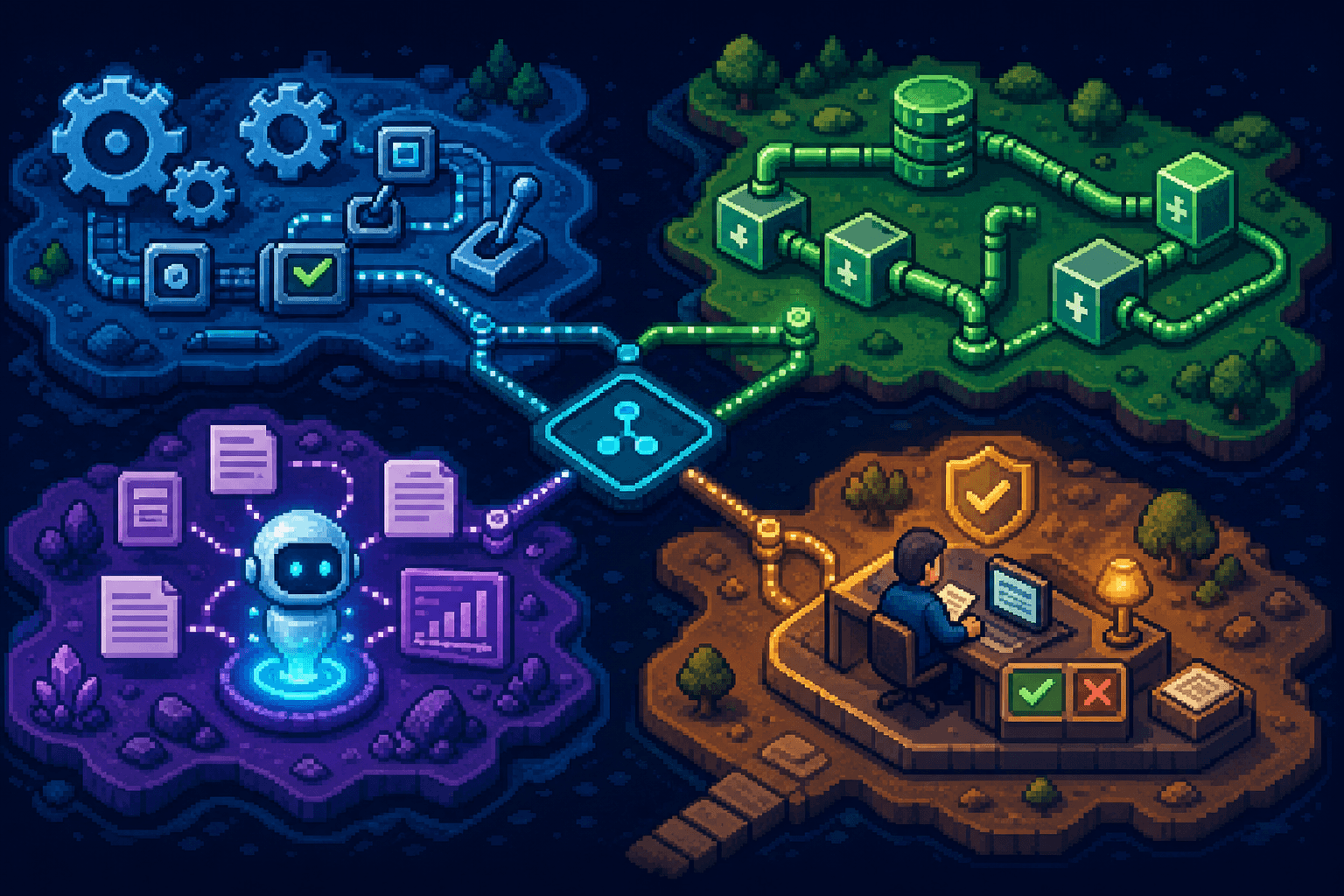
This is why orchestration matters so much. The workflow should define the boundaries around the agent. It can decide when the agent is invoked, what context it receives, which tools it can use, what output format it must return, which confidence thresholds trigger review, and what happens after the agent finishes. The agent brings flexibility, but the workflow provides the operating model.
A useful way to think about it is that deterministic steps move the process forward when the answer is known, while agentic steps help the process move forward when the answer has to be worked out.
How to Think About Workflow Step Types
The easiest way to understand agentic workflows is to break any workflow into step types. Most workflows are not purely deterministic or purely agentic. They contain a mix of rules, data movement, AI-assisted interpretation, goal-driven agent work, and human approval.
Deterministic steps are best when the answer is known in advance. If X happens, do Y. These include routing rules, required field checks, status updates, record creation, notifications, and API actions.
AI-assisted steps are useful when the workflow needs interpretation or synthesis. These include assessing whether information contains risk factors, summarizing a document, classifying a support ticket, or extracting obligations from a contract.
Goal-driven agentic steps are different. This is where the workflow gives an AI agent a goal, context, and approved tools, then asks it to produce an output. For example, "determine whether this customer is ready for onboarding" or "identify what information is missing from this application."
For a deeper breakdown, see the companion article: Agentic Workflow Design Guide.
A Practical Framework: The Agentic Workflow Fit Test
A good way to decide whether a process needs an agentic workflow is to look at four things: predictability, judgment, variability, and risk.
If the process is highly predictable, uses structured data, and has little room for interpretation, traditional automation is probably enough.
If the process involves unstructured information, frequent exceptions, or decisions that normally require a person to "read, think, and choose," then an agentic workflow may be a better fit.
If the process changes depending on the customer, document, case type, request, or business context, agentic automation can help manage that variability.
If the process carries risk, such as financial approvals, compliance obligations, customer-facing decisions, or sensitive data, the workflow should include human-in-the-loop checkpoints. The agent can prepare, recommend, summarize, and route, but a person approves the final step.
The sweet spot is not "fully autonomous everything." The sweet spot is using AI agents where judgment is useful, traditional automation where rules are reliable, and human review where accountability matters.
This also makes agentic workflows easier to evaluate. You do not need to ask whether the whole process should be agentic. You can inspect the process step by step and ask which parts are input-driven, which parts are judgment-driven, and which parts require human accountability. Most mature workflows will contain all three.
When Agentic Workflows Are Most Useful
Agentic workflows are most useful when a process involves unstructured information, frequent exceptions, changing context, or coordination across multiple systems and people.
They are especially valuable when someone normally has to read the context, decide what matters, gather missing information, summarize the situation, and recommend the next step. In those cases, an AI agent can reduce the manual coordination burden while the workflow still provides structure, permissions, audit trails, and human review points.
But agentic workflows are not always the right answer. If a step is simple, repeatable, and based on clear structured inputs, deterministic automation is usually better. It is cheaper, faster, easier to test, and easier to audit.
For a more detailed decision framework, see the companion article: When to Use Agentic Workflows.
Examples of Agentic Workflows in Business
Agentic workflows are useful wherever teams spend time interpreting information and coordinating follow-up work.
Operations. An agent reviews an incoming request, classifies it, gathers missing details, checks internal systems, and routes it to the right person with a complete summary.
Finance. An agentic workflow reviews invoices, compares them against purchase orders, detects discrepancies, requests clarification, and prepares approvals for a manager.
Customer support. An AI agent summarizes a ticket history, checks help docs, drafts a response, identifies sentiment, and escalates urgent or unusual cases.
HR. An agentic workflow coordinates employee onboarding by reading role details, generating task lists, collecting documents, scheduling reminders, and tracking completion across departments.
Sales operations. An agent researches a lead, enriches CRM data, summarizes account context, drafts a personalized follow-up, and triggers internal handoffs based on deal stage.
The pattern is the same across all of these examples. The agent handles the messy thinking work around the process, while the workflow platform keeps the process structured, trackable, and controlled.
Why Orchestration Matters
One of the biggest mistakes companies make with AI agents is treating them like standalone chatbots.
A chatbot can answer a question. A workflow needs to get work done.
That requires orchestration. The agent needs to know when to act, what tools it can use, where data should go, when to wait, when to escalate, and how its work fits into the broader process.
This is where platforms like Workflow86 are useful. Workflow86 is built for no-code agentic workflows that combine AI agents, human-in-the-loop tasks, custom tools, forms, tables, integrations, and long-running workflow orchestration. That matters because real business processes rarely happen in one step. They run across systems, teams, approvals, documents, and time.
The most effective agentic workflows are not just "AI agents connected to apps." They are structured business processes where agents, automations, and people each do the parts they are best suited for.
Agentic Workflows Are Not a Replacement for Automation
It is tempting to frame agentic workflows as the next generation of automation that replaces everything before it. That is not quite right.
Agentic workflows expand what can be automated.
Traditional workflow automation is still the foundation. It provides reliability, repeatability, audit trails, integrations, triggers, permissions, and process structure. AI agents add the ability to reason over context, handle ambiguity, and take more flexible action.
The strongest systems combine both.
Use traditional automation for the parts of the process that should always happen the same way. Use AI agents for the parts that require interpretation. Use human review for the moments where accountability, trust, or business judgment matters.
That is how companies can move beyond automating simple tasks and start automating more complex operational work.
The Bottom Line
Agentic workflows are AI-powered workflows that can reason, plan, and act toward business goals. They differ from traditional workflow automation because they are not limited to rigid, predefined steps. They can handle unstructured data, adapt to changing conditions, and coordinate more complex work across tools and teams.
But they work best when they are designed carefully. The goal is not to remove structure. The goal is to combine structure with intelligence.
For businesses that have already automated the easy tasks, agentic workflows open up the next layer of opportunity: automating the messy, judgment-heavy, long-running processes that used to require constant human coordination. With the right orchestration, guardrails, and human-in-the-loop design, they can turn AI from a helpful assistant into a real operational engine.
Build your first agentic workflow with Workflow86 →
Frequently Asked Questions
What is an agentic workflow?
An agentic workflow is a business process powered by one or more AI agents that can reason, plan, use tools, and act toward a defined goal. Unlike a traditional workflow that follows fixed if this, then that rules, an agentic workflow can interpret unstructured information and decide what to do next within defined guardrails.
How are agentic workflows different from traditional workflow automation?
Traditional workflow automation is step-driven — you map every action in advance. Agentic workflow automation is goal-driven — you give an AI agent an objective, context, and approved tools, and it decides how to reach the outcome. The two are complementary: deterministic steps handle predictable work, agents handle judgment-heavy work.
Are agentic workflows the same as AI agents?
No. An AI agent is a single component that reasons, plans, and uses tools. An agentic workflow is the larger orchestrated process that gives the agent a job, structures its inputs and outputs, hands work off to other agents or humans, and keeps the whole thing auditable.
When should I use an agentic workflow instead of a normal automation?
Use an agentic workflow when the process involves unstructured input (emails, PDFs, contracts), frequent exceptions, decisions that depend on context, or coordination across multiple systems and people. Stick with deterministic automation when the inputs are structured and the steps are stable.
Do agentic workflows replace human-in-the-loop steps?
No. Agentic workflows reduce routine exceptions a human has to handle, but they do not remove human accountability. For decisions with legal, financial, compliance, or customer-facing consequences, the agent prepares the work and a person approves it.
What are some examples of agentic workflows?
Customer onboarding that reads contracts and tailors a plan; invoice processing that reconciles POs and flags discrepancies; support workflows that summarize ticket history and draft responses; HR onboarding that coordinates documents and reminders across teams; and sales ops workflows that enrich leads and trigger personalized follow-ups.